

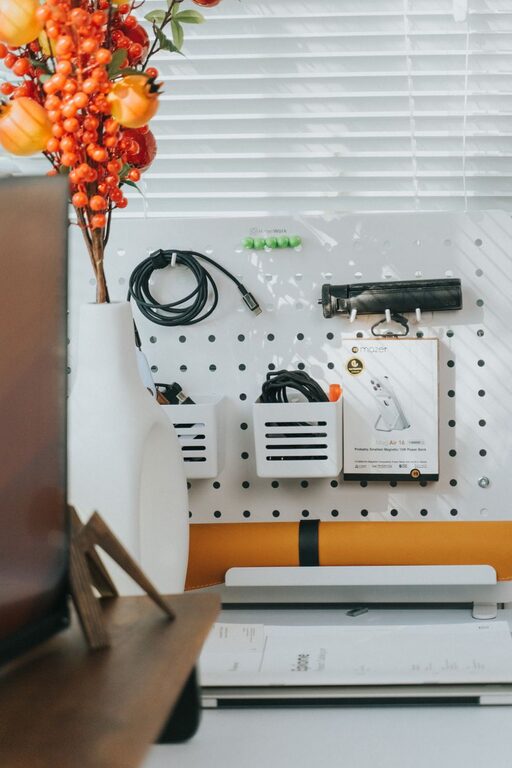
Having a dedicated home office space that is both clutter-free and productive can make a significant difference in your workday. Whether you work remotely full-time, run a small business from home, or simply need a quiet spot to manage personal tasks, organizing your workspace is key to maintaining focus and reducing stress. Here are some practical tips to help you create an efficient and inviting home office environment.
Choose the Right Location
One of the first steps in organizing your home office is selecting the right spot. Ideally, pick a quiet area away from distractions like the TV or heavy foot traffic. Natural light is a bonus, as it can boost mood and energy. If space is limited, even a small corner with a proper desk and chair can become your productivity hub.
Invest in Functional Furniture
Desk and Chair
Choose a desk with enough surface area to hold your essentials without crowding. Consider desks that offer built-in storage drawers for easy access to supplies. Pair it with an ergonomic chair that supports good posture to keep you comfortable during long work sessions.
Storage Solutions
Shelving units, filing cabinets, and storage bins are great for keeping papers and equipment organized. Vertical storage helps maximize space, especially in smaller rooms.
Declutter Regularly
A clutter-free workspace is a productive workspace. Paper piles, unused gadgets, and random items can distract you and make it harder to find what you need.
– Sort through documents and file or recycle what you no longer need.
– Keep only frequently used items on your desk.
– Set aside a few minutes at the end of each day to tidy your space.
Organize with Purpose
Use Containers and Labels
Containers and drawer organizers can keep small items like pens, paper clips, and sticky notes in order. Label shelves, drawers, and boxes so you know exactly where things belong.
Digital Organization
Don’t forget your digital workspace. Keep your computer desktop clean by organizing files into folders. Consider apps or software that help manage your tasks and deadlines efficiently.
Limit Distractions
To maintain focus, minimize interruptions:
– Silence or turn off non-essential notifications on your phone and computer.
– Use noise-cancelling headphones or soft background music if helpful.
– Set clear boundaries with family or roommates during working hours.
Personalize Your Space
A personalized workspace can make working from home more enjoyable and inspire creativity.
– Add plants, artwork, or photos that motivate you.
– Choose colors and decor that make you feel calm and focused.
– Keep personalization subtle to avoid creating visual clutter.
Optimize Lighting
Good lighting reduces eye strain and enhances productivity.
– Use a combination of natural light and adjustable task lighting.
– Position your desk near a window if possible.
– Choose warm, soft light bulbs for a comfortable atmosphere.
Maintain Healthy Habits
Keep your workspace conducive to good health to sustain productivity.
– Take regular breaks to stretch or move around.
– Keep water nearby to stay hydrated.
– Organize cords and cables with clips or ties to prevent tripping hazards.
Review and Adjust Your Setup
Your needs may change over time, so periodically assess your office setup.
– Identify what’s working well and what isn’t.
– Be open to rearranging furniture or updating equipment.
– Continuously seek ways to streamline and improve your workflow.
—
Creating a clutter-free and productive home office is an ongoing process. By following these tips, you can develop a space that supports your work habits, reduces stress, and helps you stay motivated. Remember, the goal is to build an environment where you can focus and thrive every day.